
iPhone Duo
Scory on iPhone Duo: a score keeper app made for the big screen
Yes, Scory is optimized for iPhone Duo. Open the phone and the app uses the whole 7.6-inch screen: more players fit, and you enter points without hiding the table. Close it and Scory works on the cover screen like on any iPhone. There is nothing to set up.
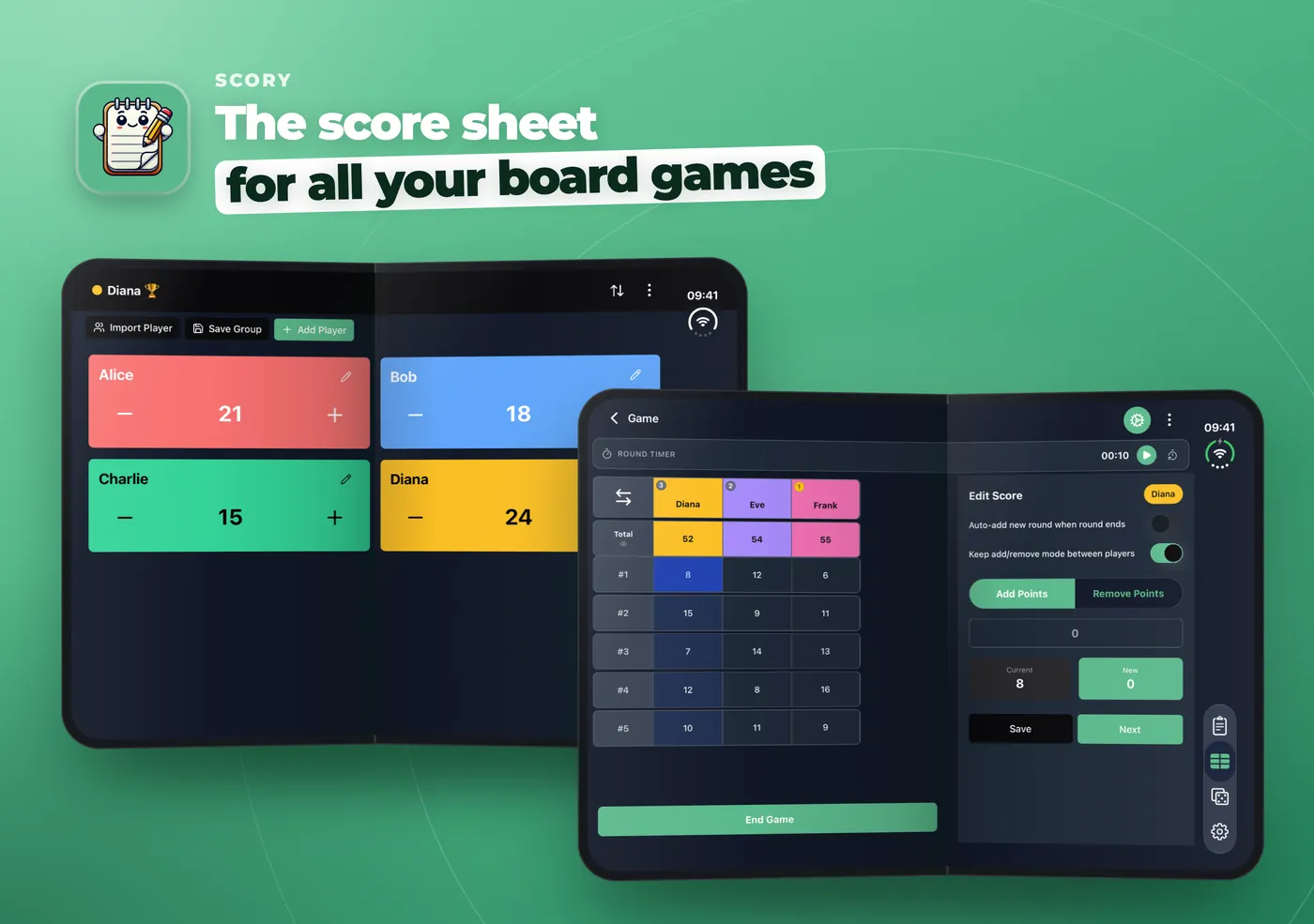
What changes when you unfold your iPhone Duo
Apple's iPhone Duo is the first foldable iPhone. Closed, you use a 5.4-inch cover screen. Open, you get a 7.6-inch screen.
On game night, that extra room matters. You can see every player at once, and you do not have to close a panel to check who is winning. Scory now fits its layout to the space it has. Open the phone and the score sheet, the counters and the game screens all spread out.
Quick Counter: your players in two columns
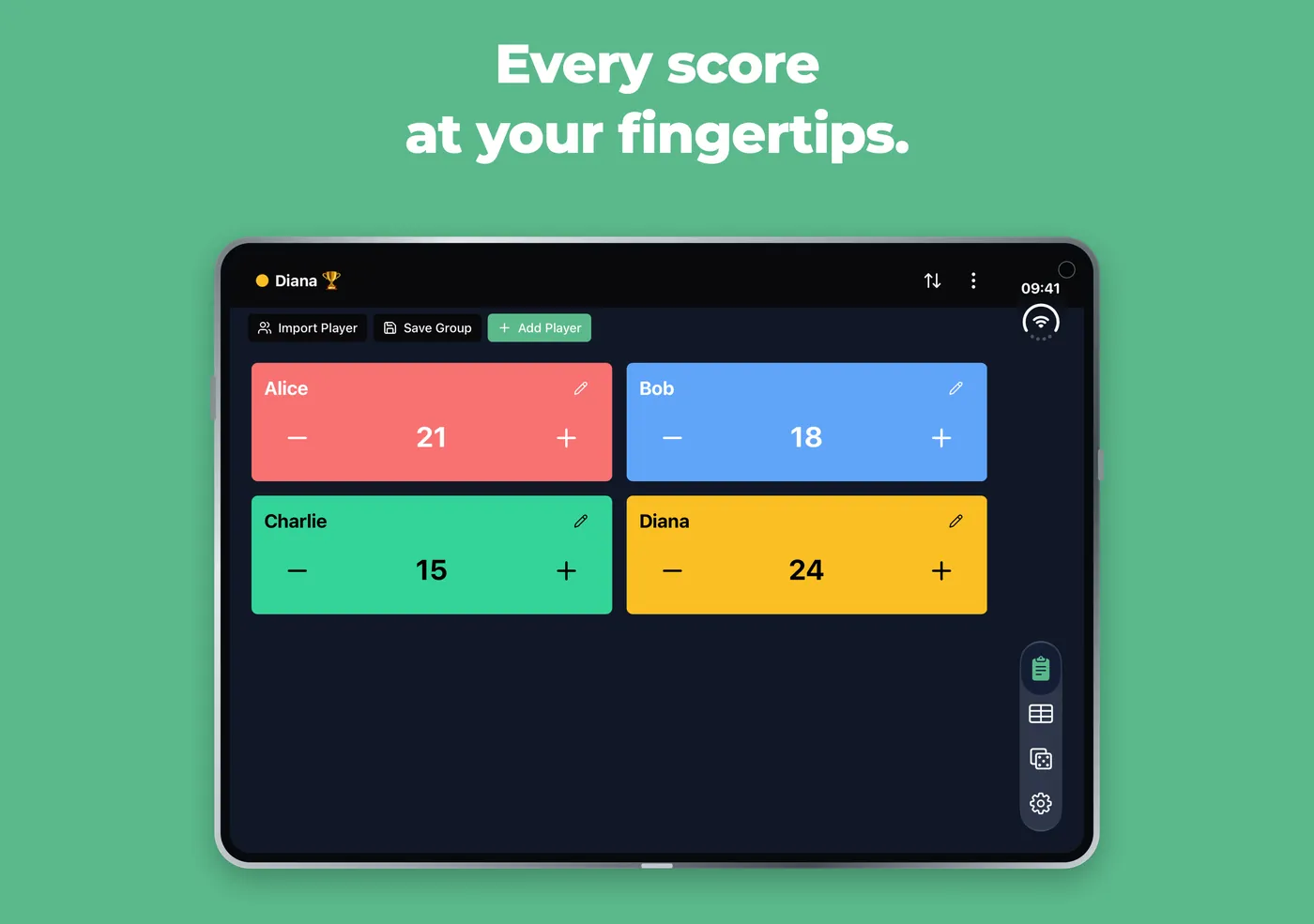
Quick Counter is the fast mode: one card per player, with a plus and a minus button. On the open iPhone Duo, the cards line up two by two, so four players fit on the screen without scrolling.
The cards keep their normal size. They do not stretch to fill the screen, so the buttons stay where your thumb expects them. If you play alone, your card stays full width. If you use very large text, Scory goes back to one column so nothing gets cut off.
Score sheet: the editor sits next to your scores
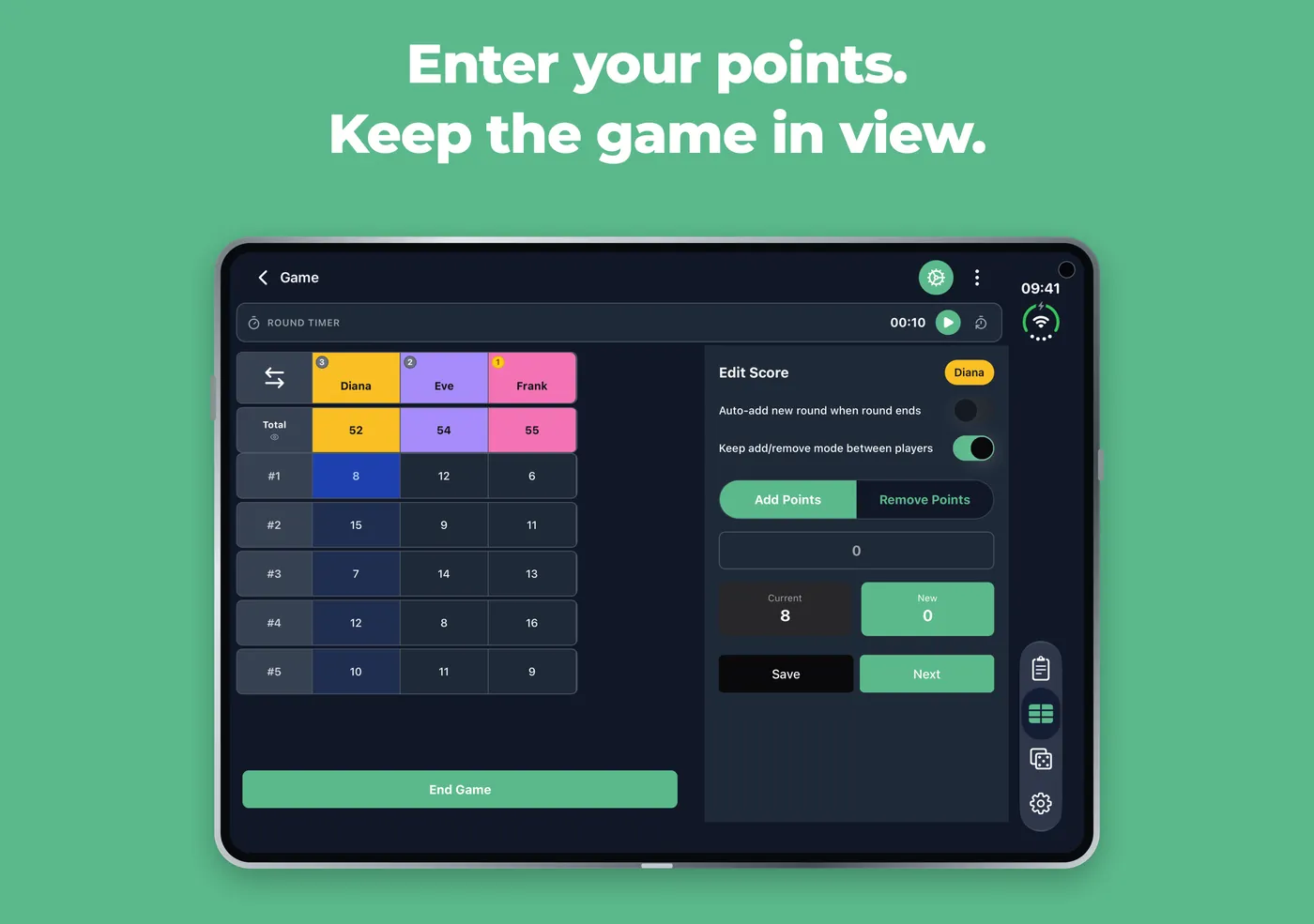
In the Advanced Counter, the score sheet shows every player and every round. When you are not typing, the table uses the whole screen.
Tap a box to enter points. If the open phone is sideways, the Edit Score panel opens on the right and the table stays on the left. The whole table stays in view while you type. Close the panel and the table takes the full screen again.
Held upright, the open iPhone Duo is not quite wide enough for both. So Scory keeps the table at full height and opens the editor as a sheet from the bottom, like on a regular iPhone.
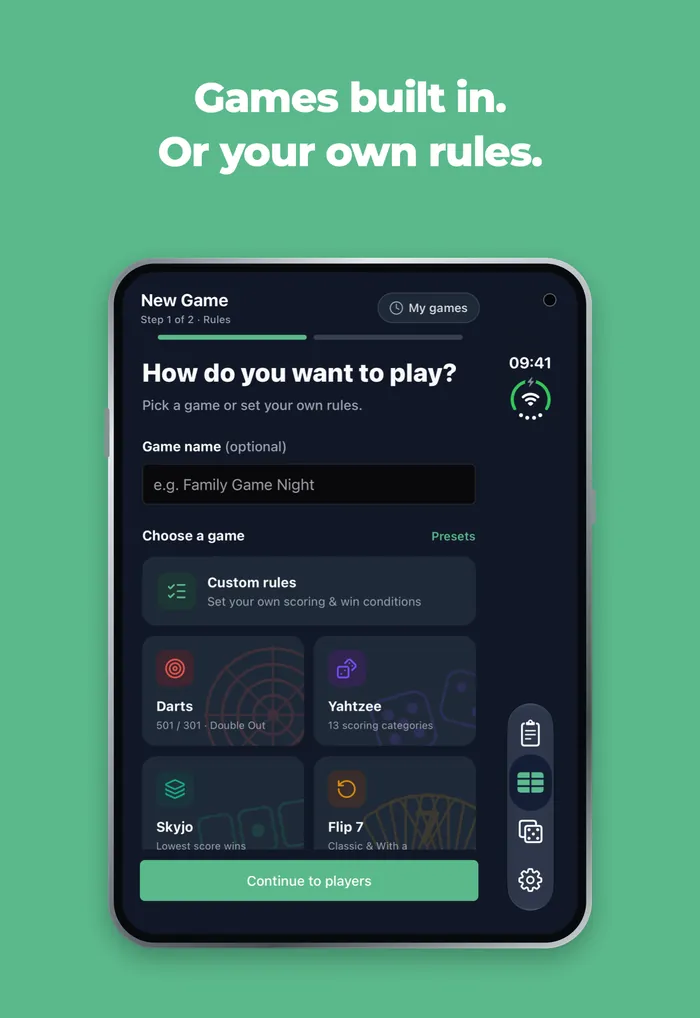
Darts, Yahtzee, Skyjo, Flip 7 and Belote side by side
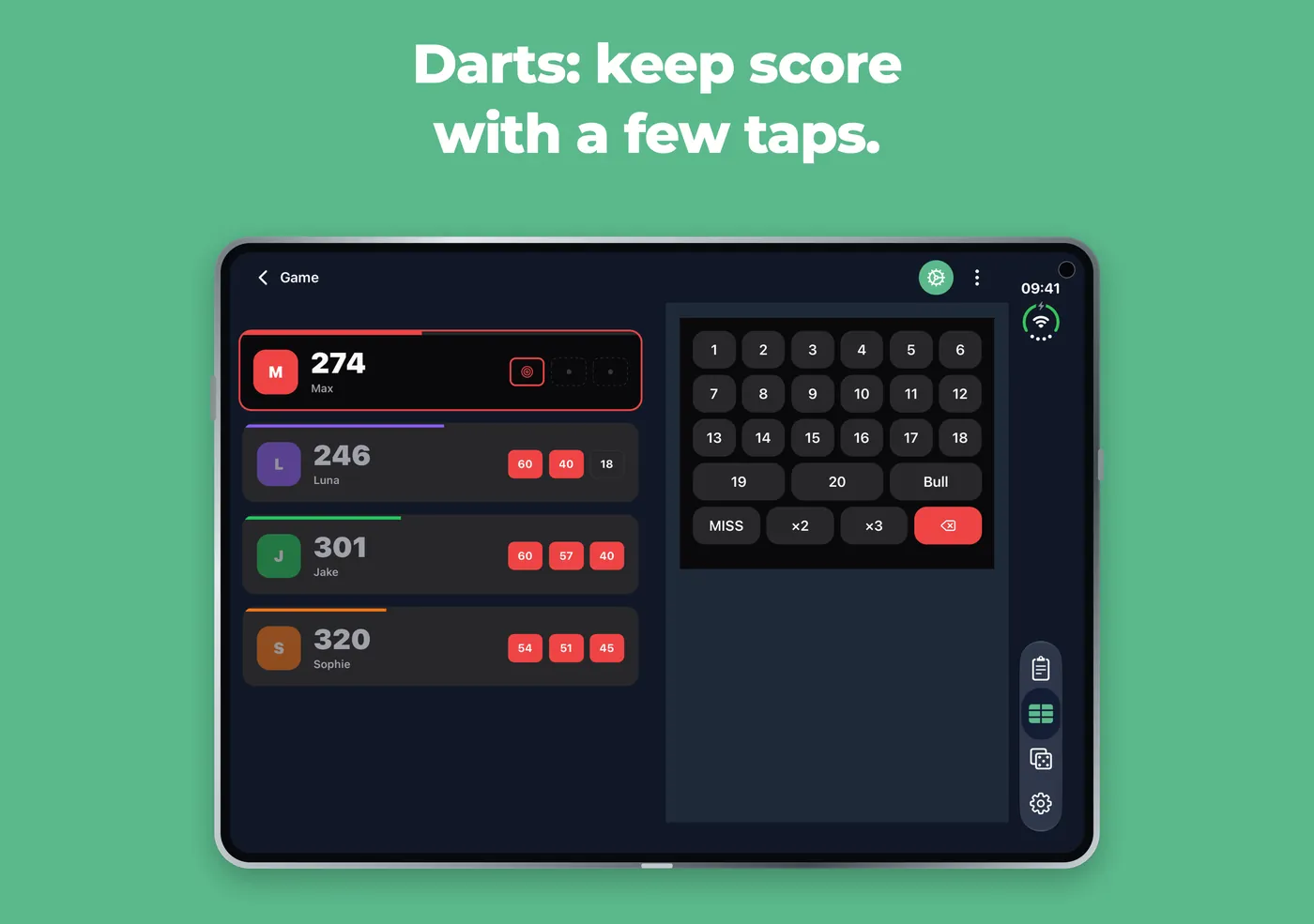
The five special games use the same idea. With the open phone sideways, the board stays on one side and what you need to enter a turn sits on the other.
- Darts: the players and their scores on the left, the number keypad on the right. The x2 or x3 you picked stays selected if you fold the phone.
- Yahtzee: tap a box and enter the dice or type the score, in Classic, Four-Column or Multi-Column mode.
- Skyjo and Skyjo Action: pick who ended the round, enter each score or use the calculator, next to the table.
- Flip 7: enter the cards, the modifiers and check the round summary in the side panel, in Classic, With a Vengeance or Brutal mode.
- Belote and Coinche: pick the taker, the bid, the trump, coinche or surcoinche, then the points and announcements.
Fold or unfold mid-round: nothing is lost
Say you start typing 17 for Diana in round 3, then you open the phone to show the table to everyone. Scory keeps the same box, the number you typed and the add or remove mode. In Skyjo, the calculator keeps its total too.
The same goes when you turn the phone or when the players get sorted again. You pick up where you were.
Nothing hidden under the fold, the side bar or the corners
On the iPhone Duo, iOS 27 puts the navigation on the side of the screen, and the screen has a fold and rounded corners. Scory keeps its titles, scores and buttons away from all three.
The game actions now live in the top bar, next to the menu. The floating button no longer covers your score columns.
Folded: Scory on the cover screen
Closed, the iPhone Duo works like a regular iPhone, and so does Scory. You get the usual one-column layout, and score entry opens from the bottom. Start a game folded, open the phone when the table gets busy, close it again for the last round.
How to use Scory on your iPhone Duo
- Install Scory from the App Store, or update it to the latest version.
- Start a game: Quick Counter, Advanced Counter or one of the special games.
- Open the phone. The layout changes on its own, no setting needed.
- Turn the open phone sideways to keep the score editor next to the table.
iPhone Duo FAQ
Does Scory work on the iPhone Duo?
Yes. Scory is optimized for iPhone Duo. It works on the cover screen and uses the full inner screen when you open the phone.
Do I need to turn on a setting?
No. Scory looks at how much room it has and changes the layout by itself when you fold, unfold or turn the phone.
Why does the editor open from the bottom when the phone is upright?
Held upright, the open screen is too narrow to show a readable table and the editor side by side. Scory keeps the whole table visible and opens the editor as a sheet. Turn the phone sideways to get both next to each other.
Will I lose my score if I fold the phone mid-round?
No. The box you were editing, the number you typed and the add or remove mode stay the same when you fold or unfold.
Which games use the side-by-side layout?
The Advanced Counter score sheet and the five special games: Darts, Yahtzee, Skyjo, Flip 7 and Belote. Quick Counter shows two columns of players instead.
Try Scory on your iPhone Duo
Download Scory, open your phone and start your next game night.
Download on the App Store